





Best Pen Display for Graphic Designers India Under Rs 50,000
- Graphic designers benefit most from pen displays when their workflow includes freehand illustration, hand lettering, logo refinement, and detailed vector path manipulation.
- Colour accuracy (sRGB and Adobe RGB gamut coverage) is the most critical specification for graphic designers producing work for print or client approval.
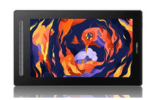
- The XPPen Artist Pro 16 Gen 2 (4K, 99% sRGB, 93% Adobe RGB) is the definitive pen display choice for professional graphic designers in India under Rs 70,000.
- The XPPen Artist 16 2nd Gen covers all standard graphic design workflows at FHD resolution under Rs 42,000.
- 4K resolution on a 16-inch panel improves vector path rendering and fine typography clarity significantly compared to FHD at the same size.
- Hardware colour calibration with a colorimeter is a professional practice that ensures pen display output matches client and print environments.
- What Graphic Designers Need from a Pen Display
- How Pen Display Specifications Map to Design Workflows
- Full Model Comparison for Graphic Designers
- XPPen Artist 16 2nd Gen: The Capable Mid-Range Choice
- XPPen Artist Pro 16 Gen 2: The Professional Standard
- Colour Accuracy: What the Numbers Mean for Design Work
- Using a Pen Display with Adobe Creative Cloud in India
- Common Mistakes Graphic Designers Make When Buying a Pen Display
- Calibration and Colour Management for Professional Output
- Who Are the Typical Graphic Design Pen Display Users in India?
- Related Reading
- Frequently Asked Questions
The question of which pen display is best for graphic designers in India comes down to understanding that graphic design and illustration are related but distinct workflows. A designer who primarily works in layout, typography, and vector graphics has different needs from an illustrator who creates freehand artwork from scratch. A pen display serves both, but the specifications that matter most, particularly colour accuracy, resolution, and display size, differ depending on which workflow dominates your daily practice. Browse the XPPen digital designing collection to see the models most used by Indian graphic design professionals before reading the detailed review below.
This guide is written for Indian graphic designers at the freelance and studio professional level who are evaluating pen displays in the Rs 25,000 to Rs 70,000 price bracket. The recommendations are grounded in the specific software, colour standards, and client deliverable requirements of the Indian design industry. The XPPen India team regularly works with design professionals and studios across the country, and this guide reflects those real-world requirements.
Last reviewed: May 2026
1. What Graphic Designers Need from a Pen Display
Graphic designers use pen displays differently from illustrators. The key design tasks that benefit most from pen input are logo refinement (adjusting bezier curves by hand feels more natural than clicking nodes with a mouse), freehand illustration components within brand identity systems, custom hand lettering and typeface design, detailed retouching and compositing in Photoshop, and UI and icon design where fine control over small shapes matters.
Colour Accuracy Is Non-Negotiable
For a graphic designer, the single most important display specification is colour accuracy. Presenting work to clients, preparing files for print vendors, and aligning output with brand colour standards all require that what appears on the drawing screen accurately represents the final output. A pen display with poor colour calibration or limited gamut coverage causes designers to approve colours on screen that will print incorrectly, which results in expensive reprints and damaged client relationships.
Resolution Matters for Vector and Typography Work
Vector paths, thin strokes, and fine typography must render cleanly at working zoom levels. On a 16-inch FHD display, rendering a 0.5pt rule or a fine serif typeface at 100 percent zoom reveals pixel-level aliasing that can affect where bezier nodes are placed. On a 4K panel at the same size, these elements render with sufficient pixel density to be visually accurate at all working zoom levels.
Industry standard: The Pantone Color Institute, whose colour matching systems are used as the standard for print colour specification throughout the Indian commercial design industry, recommends working on displays with a minimum of 95 percent sRGB coverage when designing for digital-first output and Adobe RGB coverage above 80 percent for print-first workflows. Both the Artist Pro 16 Gen 2 and the Artist 24 Pro exceed this threshold.
2. How Pen Display Specifications Map to Design Workflows
| Design Task | Most Critical Spec | Minimum Threshold | Recommended Spec |
| Brand identity and logo design | Colour accuracy, resolution and cursor accuracy | 95% sRGB, Full HD, full lamination | 99% sRGB, 2.5K QHD or higher |
| Print advertising and packaging | Adobe RGB gamut and colour accuracy | 85% Adobe RGB | 97% to 99% Adobe RGB |
| Social media content creation | sRGB colour accuracy | 95% sRGB, Full HD | 99% sRGB, Full HD or 2.5K QHD |
| UI and UX design | Resolution, sRGB accuracy and cursor precision | 95% sRGB, Full HD | 99% sRGB, 2.5K QHD or higher |
| Custom type and lettering | Pressure sensitivity, resolution and full lamination | 8,192 pressure levels, Full HD | 16,384 pressure levels, 2.5K QHD or higher |
| Photo retouching and compositing | Colour accuracy, resolution and pen control | 95% sRGB, 8,192 pressure levels | 99% sRGB, 97% or higher Adobe RGB, 2.5K QHD or higher |
3. Full Model Comparison for Graphic Designers
The following models are the most relevant pen displays for Indian graphic designers in the Rs 25,000 to Rs 70,000 range. Each is evaluated against the core requirements of professional design work in India.
| Model | Resolution | sRGB | Adobe RGB | Pressure | Dimensions | Listed Weight | Current Listed Price | Design Verdict |
| Artist 13 2nd Gen | FHD 1920 x 1080 | 130% sRGB | 96% Adobe RGB | 8,192 | 378 x 225 x 11.99 mm | Approx 1900 g | Rs 27,499 | Good for students, social media design, digital first illustration and beginner design work |
| Artist 16 2nd Gen | FHD 1920 x 1080 | 127% sRGB | 94% Adobe RGB | 8,192 | 434 x 255.8 x 12.89 mm | Approx 2700 g | Rs 33,499 | Good for freelance design, illustration, animation and daily creative work |
| Artist Pro 16 Gen 2 | 2.5K QHD 2560 x 1600 | 99% sRGB | 97% Adobe RGB | 16,384 | 405.11 x 291.37 x 20.23 mm | Approx 2700 g | Rs 42,999 | Best professional pick under Rs 70,000 for print, branding, illustration and colour sensitive design |
| Artist 24 Pro | 2K QHD 2560 x 1440 | Not specified on current page | 90% Adobe RGB | 8,192 | 632 x 370 x 44.8 mm | Approx 11500 g | Rs 64,999 | Large format studio option for designers who want a bigger fixed workspace |
4. XPPen Artist 16 2nd Gen: The Capable Mid-Range Choice
The XPPen Artist 16 2nd Gen covers the design workflow requirements of most Indian freelance graphic designers competently. Its 15.4-inch fully laminated IPS display renders Photoshop and Illustrator at a comfortable working size, the 8,192-level X3 Smart Chip stylus handles all precision vector work and freehand illustration tasks, and the USB-C single-cable connection keeps the setup clean on a studio desk.
Where It Serves Design Work Well
For social media content creation, digital advertising design, UI mockups in Figma, and mixed illustration-and-layout projects, the Artist 16 2nd Gen performs without limitation. The 88 percent sRGB coverage is accurate enough for client approvals when calibrated correctly and viewed on standard consumer monitors. For designers who are newer to pen display workflows and want to invest at a sensible entry point without immediate pressure to justify a premium product, this is the right choice.
Where It Reaches Its Limits
For print-critical colour work, the 88 percent sRGB and absence of Adobe RGB coverage means colour accuracy at the gamut edges is limited. For detailed typography work at small sizes, the FHD resolution produces aliasing at certain zoom levels that a 4K panel would not. These are genuine limitations for professional print and type design work, not theoretical concerns.
5. XPPen Artist Pro 16 Gen 2: The Professional Standard
The XPPen Artist Pro 16 Gen 2 is the benchmark pen display for professional graphic designers in India who work on print-critical projects, brand identity systems for large clients, and any work where colour accuracy is commercially mandatory. At approximately Rs 42,999 current listed sale price, it is a significant investment. What it delivers justifies that investment for designers at the professional level.
4K Resolution for Design Work
On the Artist Pro 16 Gen 2's 4K panel, a 0.25pt hairline rule in Illustrator renders as a clean, sharp line at 100 percent zoom. Fine serif typography in Adobe Garamond or Minion remains legible and properly hinted at working zoom levels. Vector bezier curves display their true shape without the pixel staircase approximation visible on FHD panels at the same size. These improvements are particularly relevant when working on detailed brand identity systems where the designer must approve fine details with confidence before client presentation.
Colour Accuracy for Print and Brand Work
The 99 percent sRGB and 93 percent Adobe RGB coverage, combined with hardware calibration, ensures that colours selected on this panel accurately represent the final output in both digital and print media. For designers who specify Pantone colours and need to verify their digital approximations, the extended Adobe RGB gamut provides the colour space to work with.
Upgrade Your Design Workflow with the Artist Pro 16 Gen 2
4K resolution, 99% sRGB colour accuracy, and 16,384 pressure levels in a professional 16-inch laminated display. Available now with India warranty.
View the Artist Pro 16 Gen 26. Colour Accuracy: What the Numbers Mean for Design Work
Colour gamut percentages tell you what proportion of a reference colour space a display can reproduce. For a graphic designer, this directly affects client satisfaction and print accuracy. Here is a practical interpretation of what the numbers mean for specific Indian design market scenarios.
88% sRGB (Artist 13/16 2nd Gen)
Colours in the saturated edges of the sRGB space will be slightly compressed. In practical terms, very saturated reds, greens, and blues may appear slightly less vivid than they will on a client's wider-gamut display. For most social media and web design work, this difference is imperceptible to the end client. For brand-critical colour matching, it is a risk worth managing with a hardware calibration profile.
99% sRGB / 93% Adobe RGB (Artist Pro 16 Gen 2)
Essentially the entire sRGB gamut is represented accurately. The extended Adobe RGB coverage means rich, saturated print colours within the Adobe RGB space are visible on screen. For a designer preparing artwork for offset print, CMYK conversion using a calibrated Adobe RGB source profile produces noticeably more predictable results than a narrower-gamut display.
Always enable colour management in your design applications. In Photoshop, set the working colour space to sRGB IEC61966-2.1 for screen work and Adobe RGB (1998) for print work. Enable Convert to Working RGB when opening documents from unknown sources. In Illustrator, check Document Colour Mode matches your project intent (RGB for screen, CMYK for print). A well-configured colour management workflow compensates for remaining gamut limitations in any display.
7. Using a Pen Display with Adobe Creative Cloud in India
Photoshop Configuration
In Photoshop CC on Windows with an XPPen display, ensure Windows Ink is enabled in the XPPen driver's pen settings. In Photoshop, go to Edit, Preferences, Technology Previews and confirm Disable Native Canvas is unchecked. For pressure-sensitive brush work in design projects, assign the Healing Brush, Clone Stamp, and Dodge and Burn tools to shortcuts on an external keyboard or Bluetooth shortcut pad for faster switching during retouching sessions.
Illustrator Configuration
Illustrator uses pen pressure for the Blob Brush, the Pencil Tool, and width tool profile strokes. Enable Windows Ink in the driver first, then in Illustrator go to Preferences, General and enable Use Preview Bounds. The Pencil Tool's pressure sensitivity allows freehand path drawing with variable weight, which is the most direct pen display advantage for vector logo and letterform work in Illustrator.
Figma and Web Design Applications
Figma, Adobe XD, and Sketch treat the pen display as a precision pointer rather than a pressure-sensitive drawing device, since these applications do not use pressure data for UI design tasks. The pen display still improves precision in node placement and shape manipulation compared to a mouse, making bezier curve editing and icon design significantly more efficient. The 4K resolution of the Artist Pro 16 Gen 2 is particularly valuable in Figma, where small UI components must be precisely aligned at pixel level.
8. Common Mistakes Graphic Designers Make When Buying a Pen Display
Prioritising Screen Size Over Colour Accuracy
The most common expensive mistake graphic designers make is choosing a large FHD display over a smaller 4K display for the same budget. A 22-inch display with 88 percent sRGB at Rs 45,000 serves a designer less well for professional colour-critical work than a 16-inch display with 99 percent sRGB and 93 percent Adobe RGB at the same price. Unless screen real estate for composition is genuinely critical to your workflow, colour accuracy should win the trade-off.
Skipping Colour Calibration
Every pen display, regardless of manufacturer specifications, requires calibration before professional use. The factory colour profile is a general approximation, not a precision profile. A hardware colorimeter costing Rs 8,000 to Rs 15,000 pays for itself within the first avoided print remake. Indian design professionals producing print-bound work should treat hardware calibration as a mandatory workflow step, not an optional luxury.
Not Accounting for the Desk Space Requirement
As discussed in our pen display screen size comparison, many Indian designers purchase a large pen display and then find their desk does not accommodate it comfortably. Measure your available desk space before selecting a size, and verify that the power and data cables can be routed without creating a tripping hazard in your workspace.
9. Calibration and Colour Management for Professional Output
Hardware calibration is the process of measuring your display's actual colour output with a colorimeter device and generating an ICC profile that corrects the deviation. This profile is applied at the operating system level and used automatically by all colour-managed applications including Photoshop, Illustrator, and InDesign.
Calibration Procedure for Indian Design Studios
Warm up the display for 30 minutes before calibrating. Set the OSD to its natural or custom colour mode (avoid manufacturer presets like Vivid or Cool, which apply non-linear colour corrections). Run the colorimeter software and follow the target settings: 120 cd/m2 luminance, D65 (6500K) white point, gamma 2.2. After calibration, save the ICC profile and assign it to the display in colour management settings. Recalibrate every three to four months, or whenever you notice colour drift.
Professional practice: According to the ISO 3664:2009 standard for graphic technology and photography viewing conditions, professional proofing environments should maintain display luminance at 80 to 160 cd/m2 and white point at D50 (5000K) for print-critical proofing. For combined screen and print workflow calibration, many Indian design studios compromise at D55 (5500K) to balance print accuracy with comfortable screen viewing.
10. Who Are the Typical Graphic Design Pen Display Users in India?
- Colour accuracy is the most critical pen display specification for graphic designers; prioritise sRGB and Adobe RGB gamut coverage over screen size in your budget allocation.
- XPPen Artist Pro 16 Gen 2 has a 16 inch 2.5K QHD display with 2560 x 1600 resolution, 99% sRGB, 97% Adobe RGB, 99% DCI P3 and 16,384 pressure levels.is the professional standard for Indian designers producing print and brand-critical work.
- The Artist 16 2nd Gen handles most freelance design workflows at FHD resolution and is the right entry point for designers beginning to work with pen displays.
- Hardware colour calibration with a colorimeter is a professional practice that every serious graphic designer should perform before client-facing use of any pen display.
- Configure Photoshop and Illustrator colour management settings to match your target output medium: sRGB for screen, Adobe RGB for print.
- 4K resolution meaningfully improves vector path rendering, fine typography legibility, and UI element precision for design work at all zoom levels.
11. Related Reading
12. Frequently Asked Questions
Do graphic designers in India actually need a pen display or can a pen tablet work?
Many professional graphic designers in India work exclusively on pen tablets and produce commercially successful work. A pen display is particularly valuable for logo refinement, type design, and freehand illustration components. If your design work is primarily layout-based in InDesign or vector-based in Illustrator without significant freehand drawing, a pen tablet like the Deco 01 V3 may serve you equally well at lower cost.
Which XPPen pen display is best for Photoshop and Illustrator work in India?
The XPPen Artist Pro 16 Gen 2 is the optimal choice for combined Photoshop and Illustrator workflows. Its 4K resolution renders vector paths and fine typography with exceptional clarity, and its 99 percent sRGB colour accuracy ensures what you see on the drawing screen matches client displays and print output.
Is colour accuracy important for graphic designers using a pen display in India?
Yes, critically so. A display with less than 90 percent sRGB coverage will silently compress certain colours, causing artwork to appear different on client devices or in print. For any design work involving client colour approval, 95 percent sRGB or higher is the professional threshold. The Artist Pro 16 Gen 2 at 99 percent sRGB and 93 percent Adobe RGB meets this requirement comfortably.
Can I use a pen display for UI and UX design work in India?
Yes. Pen displays are used by Indian UI and UX designers in Figma, Adobe XD, and Sketch for wireframing, icon design, and detailed mockup refinement. The pen input allows faster and more precise adjustment of bezier curves and layout elements than a mouse. The 4K resolution of the Artist Pro 16 Gen 2 is particularly useful for pixel-precise UI alignment.
Does a pen display help with typography and lettering work in India?
Yes, significantly. Hand lettering artists and type designers who create custom letterforms in Illustrator benefit greatly from pen display input. Drawing directly on the screen makes bezier node placement more intuitive and allows fine-tuning of letter shapes with the same spatial feedback as drawing on paper. See our guide on drawing in Adobe Illustrator for practical workflow tips.
What is the best pen display for freelance graphic designers in India?
For freelance graphic designers in India, the XPPen Artist 16 2nd Gen offers the best balance of capability and price. The Artist Pro 16 Gen 2 is the professional upgrade choice when 4K resolution and print-accurate colour coverage become necessary for a client's specific requirements.
How many express keys does a graphic designer need on a pen display in India?
Most XPPen Artist series pen displays do not include physical express keys. For hardware shortcut access, pairing the pen display with a compact Bluetooth keyboard or a shortcut controller is the most ergonomically efficient solution. Alternatively, the Deco Pro Small pen tablet with its dial and express keys can serve as a dedicated shortcut device alongside any pen display.


