






Best Graphic Tablet for Beginners India XPPen Deco Guide
- The XPPen Deco series is purpose-built for beginners and is the most popular entry point for new digital artists in India in 2026.
- Every Deco model ships with a battery-free stylus with 8,192 pressure levels, a maintained driver, and a one-year India warranty.
- Beginners should prioritise active area size and driver quality over advanced features like wireless connectivity or tilt recognition at the entry stage.
- The Deco Fun Small is the best starting choice under Rs 3,500; the Deco 01 V3 is the recommended step-up for students committing to digital art seriously.
- Most beginners adjust to tablet hand-eye coordination within two to four weeks of consistent daily practice.
- Krita, GIMP, and Medibang Paint are all free and fully compatible with every Deco tablet, providing a complete creative workflow from day one.
- What Makes a Tablet Good for Beginners?
- How XPPen's Deco Series Is Designed for New Artists
- Deco Series Models Compared for Beginners
- Deco Fun Small: The Best Starter Tablet in India
- Deco Mini 7: The Tilt-Ready Beginner Upgrade
- Deco 01 V3: When You Are Serious from Day One
- How to Choose Your First Deco Tablet
- First Steps After Unboxing Your Tablet
- Learning Resources for Beginners in India
- Who Is the Deco Series Built For?
- Related Reading
- Frequently Asked Questions
Choosing the best graphic tablet for beginners in India is a question the XPPen India team answers every day. The most common concern among first-time buyers is straightforward: will this tablet be worth the investment if I am not already a skilled artist? The answer, based on years of interaction with the Indian creative community, is yes, provided you choose the right starting model and pair it with the right software and learning approach. Browse the full Deco series collection to see all current models before reading the detailed comparison below.
The XPPen Deco series has been the most popular entry-level tablet range in India for several years, and in 2026 it continues to represent the strongest value proposition for beginners. This guide examines each model in the series, explains what beginners actually need versus what they think they need, and provides a clear decision framework based on your budget and intended use. The XP-Pen India team works directly with design schools, art educators, and community tutors across the country, and the insights in this guide reflect that real-world knowledge.
Last reviewed: May 2026
1. What Makes a Tablet Good for Beginners?
A beginner-friendly graphic tablet must satisfy four criteria above all others: it must set up without frustration, respond to the pen accurately from the first session, survive the learning period without hardware failure, and cost little enough that the financial commitment does not add pressure to the learning process itself.
Setup Simplicity
The driver must install cleanly on both Windows and macOS and require minimal troubleshooting. A beginner who spends their first two hours fighting a driver conflict is significantly less likely to persist with digital art than one who is drawing within ten minutes of unboxing.
Pen Response Accuracy
The pen must produce strokes that feel connected to the artist's intent. Lag, jitter, or unpredictable pressure readings break the learning feedback loop and train bad habits. Modern XPPen Deco models have near-zero latency with an updated driver and feel natural within a few drawing sessions.
Durability
A first tablet gets used roughly. Nibs wear down, the surface gets scratched, and cables get wrapped and unwrapped frequently. The Deco series is built with this in mind. Replacement nibs are available in the XPPen accessories range at low cost.
Learning curve context: Research on motor skill acquisition in creative domains, cited by PubMed studies on digital drawing skill development, suggests that 20 to 30 minutes of deliberate practice daily produces measurable improvements in stylus control within two to three weeks for most beginners. This timeline holds regardless of whether the learner had prior drawing experience.
2. How XPPen's Deco Series Is Designed for New Artists
The Deco series name stands for Drawing and Expression Combined, reflecting XPPen's intent to make the digital drawing experience accessible without sacrificing the technical quality that serious practice requires. Every model in the series uses the same EMR pen technology as XPPen's professional Artist Pro range, but in a smaller, lighter form factor with a simplified accessory set.
The driver software is identical across the entire XPPen range, meaning a beginner who starts on a Deco Fun and upgrades to a Deco Pro or Artist Pro later will already know the configuration interface. This continuity reduces the friction of hardware upgrades and means the habits formed on the entry model transfer directly to more advanced setups.
When you first open the XPPen driver after setup, navigate to the About section and check the driver version number. If it is not the version shown on the support page as current, download and install the update before your first drawing session. This takes three minutes and prevents the majority of compatibility issues beginners report.
3. Deco Series Models Compared for Beginners
| Model | Active Area | Pressure | Tilt | Express Keys | Android | Approx. Price (INR) |
|---|---|---|---|---|---|---|
| Deco Fun Small | 6x4 inch | 8,192 | No | No | Yes (USB-C OTG) | Rs 2,800 – Rs 3,500 |
| Deco Fun Large | 10x6.27 inch | 8,192 | No | No | Yes (USB-C OTG) | Rs 3,800 – Rs 4,800 |
| Deco Mini 7 | 7x4.37 inch | 8,192 | 60 degrees | No | Yes | Rs 3,500 – Rs 4,500 |
| Deco Mini 7W | 7x4.37 inch | 8,192 | 60 degrees | No | Yes | Rs 4,500 – Rs 5,500 |
| Deco 01 V3 | 10x6.27 inch | 8,192 | Yes | 8 keys | No | Rs 5,500 – Rs 7,000 |
| Deco M/MW | 8x5 inch | 8,192 | Yes | No | Yes | Rs 4,500 – Rs 6,500 |
4. Deco Fun Small: The Best Starter Tablet in India
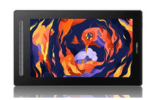
The Deco Fun Small is XPPen's most accessible entry point for Indian beginners in 2026. It is available in four colours, connects via USB-C, works on Android devices via OTG, and delivers 8,192 pressure levels through a battery-free stylus. It weighs under 200 grams and fits into a laptop bag alongside college textbooks without taking up meaningful space.
What Beginners Love About It
In practice, the Deco Fun Small installs without complications on Windows 11 and macOS Ventura. The pen has a comfortable grip, the surface texture is light enough to draw on comfortably without tiring the wrist, and the USB-C cable means it works with modern laptops and Android phones without an adapter. For a student carrying a MacBook Air or a modern Windows laptop, it is the most friction-free entry into digital art available under Rs 3,500.
Honest Limitations
The 6x4-inch active area is adequate but not spacious. Full-body character illustration and complex background work will feel constrained, particularly on monitors larger than 24 inches. If you know from the start that you want to create detailed, large-canvas work, the Deco Fun Large or Deco 01 V3 is worth the additional cost.
5. Deco Mini 7: The Tilt-Ready Beginner Upgrade
The Deco Mini 7 sits at the intersection of budget accessibility and meaningful extra functionality. Its 7x4.37-inch active area gives more room than the Deco Fun Small, and its 60-degree tilt recognition is the feature that separates it from every other tablet under Rs 5,000 in India.
Why Tilt Matters for Beginners
When a beginner draws on a screenless tablet, the disconnect between hand and screen can be disorienting. Tilt recognition introduces a more intuitive feedback mechanism: the brush responds to how you hold the pen, not just how hard you press. In Krita, activating a bristles or oils brush with tilt sensitivity on creates a drawing experience that closely mimics a real brush. This accelerates a beginner's adaptation to digital art by providing more natural tactile feedback through software response.
The wireless version, the Deco Mini 7W, adds Bluetooth and the wireless receiver for a modest premium. For students drawing on a cluttered desk or wanting to draw from a comfortable distance from their computer, the wireless option removes one more friction point from the creative setup.
Explore the Full Deco Series for Beginners
From the compact Deco Fun to the express key-equipped Deco 01 V3, every model in the Deco series is available now with India delivery and official one-year warranty support.
Shop the Deco Series6. Deco 01 V3: When You Are Serious from Day One
The Deco 01 V3 is not an entry model in the conventional sense. It is a professional-grade pen tablet priced accessibly enough that motivated beginners should consider it as their first purchase if they intend to pursue digital art, illustration, or design seriously. Its 10x6.27-inch active area is the largest available in the Deco series, and its eight configurable express keys provide the hardware shortcut access that separates a productive workflow from a frustrating one.
The Express Key Advantage for Beginners
One of the most consistent observations from Indian art educators is that students who configure and use express keys within their first week of drawing progress significantly faster than those who leave them at default or ignore them entirely. The act of assigning undo, brush size adjustment, and colour picker shortcuts to physical buttons trains efficient working habits that carry through an entire creative career.
Comparing Deco 01 V3 to Cheaper Models
The Deco 01 V3 costs approximately Rs 5,500 to Rs 7,000 in India, roughly twice the price of a Deco Fun Small. For that difference you receive a working area that is more than double the size, eight express keys, a tilt-sensitive stylus, and a driver configuration that covers every professional workflow scenario. For a student at NID, NIFT, or any design college, this is the appropriate starting investment.
7. How to Choose Your First Deco Tablet
Choose Deco Fun Small If:
Your budget is under Rs 3,500. You also draw on an Android device. You travel frequently and want the most portable option. You are genuinely unsure whether digital art will become a serious habit and want to minimise financial risk.
Choose Deco Mini 7 If:
You are interested in traditional-media simulation and want tilt-sensitive brushwork in Krita. Your budget extends to Rs 4,500. You prefer a slightly larger active area than the Deco Fun Small but do not need express keys yet.
Choose Deco 01 V3 If:
You are enrolling in a digital art or design course and need professional-quality hardware. You plan to use the tablet for more than two hours daily. You want a hardware investment that will remain capable for three to five years without feeling limited.
When buying your first tablet in India, resist the temptation to purchase accessories simultaneously. Master the basic setup and workflow first. After four weeks of regular use, you will know specifically which accessories, such as a drawing glove, extra nibs, or an adjustable stand, will genuinely improve your setup. Buying accessories you do not yet understand how to use adds cost without adding value.
8. First Steps After Unboxing Your Tablet
Step 1: Driver First, Tablet Later
Download the latest driver from XPPen India support before connecting the tablet. Run the installer, restart your computer, then connect the tablet. This sequence prevents the common issue of Windows installing a generic HID driver that blocks the XPPen driver from functioning correctly.
Step 2: Open the Driver and Test the Pen
After connecting, open the driver application and navigate to the Pen Settings tab. Hover the stylus over the tablet surface. The driver should show cursor movement. Press lightly and then firmly to confirm the pressure bar responds across a range. If pressure appears binary (full on or full off), check that Windows Ink is enabled in the pen settings.
Step 3: Open Krita and Draw Your First Stroke
Install Krita from krita.org. Create a new A4 document at 300 DPI. Select the Basic-5 Size brush. Draw a single stroke from left to right, varying your pressure from very light at the start to firm at the end and back to light again. The stroke should taper at both ends. If it does, your tablet and software are correctly configured.
Step 4: Adjust the Pressure Curve
The default linear curve may feel too stiff for delicate work. Open the driver, find Pen Settings, and drag the curve midpoint slightly downward. Test the same stroke in Krita. A softer curve makes light pressure marks more accessible, which is where most beginners struggle initially.
9. Learning Resources for Beginners in India
A graphic tablet is a tool; becoming a digital artist requires structured learning. The following resources are particularly relevant for Indian beginners starting with an XPPen Deco tablet.
YouTube Channels
Several Indian digital artists have published beginner-specific tutorials in Hindi and English on YouTube that are directly relevant to Krita and Photoshop workflows with pen tablets. Search specifically for Krita beginner tutorials with tablet to find content optimised for your setup. According to YouTube India data, digital art tutorial content has grown by over 40 percent in Indian viewership in the past two years, reflecting a growing community of self-taught digital artists.
Krita's Built-In Documentation
Krita ships with a full manual and interactive tutorials accessible under the Help menu. The Pixel Art and Digital Painting modules are particularly useful for new tablet users and are designed with stylus input in mind from the first lesson.
Community insight: The XPPen India social community and the XPPen Creator Spotlight feature Indian artists across skill levels who share their tablet setups, software configurations, and learning journeys. Following established Indian digital artists using the same hardware is one of the fastest ways to find relevant, culturally appropriate technique references.
10. Who Is the Deco Series Built For?
The Deco series covers a wider range of Indian users than any other single product line from XPPen. The segments below represent the primary communities who choose Deco tablets as their first or everyday device.
- The Deco Fun Small is the best first tablet under Rs 3,500 for Indian beginners; the Deco 01 V3 is the right first tablet for students who are serious about digital art from day one.
- Every Deco model uses the same EMR technology and driver software as XPPen's professional range, so beginners are never buying into a dead end.
- Tilt recognition in the Deco Mini 7 makes traditional-media brush simulation significantly more natural and is worth the small premium for students interested in that style.
- Driver installation takes under ten minutes; downloading the current version from the support page (not using the disc) prevents almost all setup problems.
- Adjust your pressure curve on day one. This single five-minute configuration change improves drawing feel more than any other initial step.
- Pair your Deco tablet with Krita (free) and commit to 20 minutes of daily practice. Most beginners see confident line control within three to four weeks.
11. Related Reading
12. Frequently Asked Questions
Which is the best first graphic tablet for an absolute beginner in India in 2026?
The XPPen Deco Fun Small or Deco 01 V3 are the top first-tablet recommendations for Indian beginners in 2026. The Deco Fun Small suits those on a tight budget and anyone who wants to draw on Android devices. The Deco 01 V3 is the upgrade pick for students who want a larger active area and will take digital art seriously from day one.
Is the XPPen Deco series good for beginners?
Yes. The Deco series is XPPen's most beginner-oriented product line. Every model ships with a battery-free stylus, an updated Windows and macOS driver, and a one-year India warranty. The Deco Fun and Deco Mini sub-series are specifically designed with new artists in mind, offering approachable price points and straightforward setup.
How long does it take to get used to drawing on a graphic tablet as a beginner?
Most beginners adapt to the hand-eye coordination required for a pen tablet within two to four weeks of daily practice of 20 to 30 minutes. Progress is fastest when beginners start with tracing exercises before moving to freehand drawing, as this builds muscle memory for the disconnect between pen movement and on-screen cursor position.
What software should a beginner in India use with a graphic tablet?
Krita is the strongest starting choice for Indian beginners. It is free, fully featured, and designed for digital painting with tablet input. GIMP is a useful secondary application for photo editing tasks. Medibang Paint is recommended for students interested in manga and comic art. All three work natively with XPPen's driver.
Should a beginner buy a pen tablet or a pen display in India?
A pen tablet (screenless) is the correct starting choice for most Indian beginners. The lower price means you can invest more in software and learning resources. Most art educators recommend starting with a pen tablet for at least six months before considering a pen display. Read our full comparison in the pen tablet vs display tablet guide.
Do I need to be able to draw before buying a graphic tablet in India?
No. A graphic tablet is a learning tool as much as a production tool. Many Indian artists who began with no drawing background developed their skills on a tablet by following structured online courses. The tablet does not require pre-existing drawing ability; it provides the tool with which you develop that ability.
Is the Deco 01 V3 worth the extra cost over the Deco Fun for a beginner in India?
If budget allows, yes. The Deco 01 V3 has a significantly larger active area (10x6.27 inches vs 6x4 inches), which is noticeably more comfortable for extended illustration sessions. It also includes eight express keys that accelerate your workflow as you grow. The investment pays off within the first month for students who draw regularly.


