






XPPen Deco 01 V3 Review India: Best Drawing Tablet Under ₹7,000?
- The XPPen Deco 01 V3 is one of the most consistently recommended mid-range graphic tablets in India, priced at Rs 6,499 on the official XPPen India store.
- It features a 10x6.25-inch active area, 16,384 pressure levels with 60-degree tilt recognition, and a battery-free X3 Smart Chip stylus.
- Eight fully configurable express keys significantly speed up Photoshop, Krita, and Clip Studio Paint workflows when assigned to common shortcuts.
- Compatible with Windows 7 and later, macOS 10.12 and later, Linux, Chrome OS 88+, and Android 10.0 and above and virtually all major drawing applications including Photoshop, Krita, Clip Studio Paint, and Illustrator.
- Available in three colour options — Black, Green, and Pink — so buyers can match the tablet to their personal style.
- Full Android compatibility via USB-C, with the free XPPen Tools app for precise aspect-ratio mapping in portrait mode.
- One-year India warranty and access to the XPPen India support team are included with every purchase from the official store.
- XPPen Deco 01 V3: Overview and Target Audience
- Full Specification Breakdown
- Build Quality and Physical Design
- The X3 Smart Chip Stylus in Use
- Drawing Performance in Photoshop and Krita
- Express Keys: Configuration and Workflow Impact
- Driver Setup and Software Compatibility
- Limitations and Honest Criticisms
- How It Compares to Other Options
- Who Should Buy the Deco 01 V3 in India?
- Related Reading
- Frequently Asked Questions
The XPPen Deco 01 V3 has been one of the most consistently recommended graphic tablets in India for the past three years, and in 2026 it continues to hold that position. At Rs 6,499, it occupies the precise middle ground between the budget starter tablets and the professional wireless Deco Pro range. For the largest segment of Indian buyers, including design students, freelance illustrators, educators, and photo retouchers, the Deco 01 V3 delivers everything the workflow requires without the premium of features those users do not yet need. You can see the current pricing and availability on the Deco 01 V3 product page. This is a detailed performance review based on real drawing sessions, not a specification restatement.
The XPPen India team publishes this review acknowledging the obvious interest in a positive outcome. The limitations section is written honestly: if the Deco 01 V3 is not the right tablet for a specific buyer, this review says so and explains which alternative from the XPPen range would serve them better.
Last reviewed: May 2026
1. XPPen Deco 01 V3: Overview and Target Audience
The Deco 01 V3 is the third generation of XPPen's Deco 01 line, a product that has been continuously refined since the original Deco 01 launched and became a bestseller in Indian art communities. The V3 introduces the X3 Smart Chip stylus, which raises pressure sensitivity to 16,384 levels — double the 8,192 levels offered by the V2 — and improves activation sensitivity with a shorter nib travel distance. The active area (10x6.25 inches) and express key configuration (eight physical keys) remain at the level that made the earlier versions popular, while new additions like LED-lit working-area edges and three colour options (Black, Green, Pink) modernise the design.
The primary target audience in India is broad: NID, NIFT, and design college students who need a capable tablet for coursework and portfolio development; illustrators who want a large working area for character and concept art; photo editors who need precision masking tools; online educators who annotate slides on Zoom, Microsoft Teams, or Google Meet; and animators who need a flat, fast surface for 2D production work. It is not designed for the professional who needs wireless connectivity or a physical control dial — both of which are available in the both of which are available in the Deco Pro series.
Sales context: The Deco 01 series has been among the top-selling graphic tablets in India on major e-commerce platforms consistently since 2021, reflecting broad adoption across the student, freelancer, and educator segments. Its position as the default recommendation in the Rs 6,000 to Rs 8,000 bracket has remained stable through three generations of the product.
2. Full Specification Breakdown
| Specification | Value |
|---|---|
| Active area | 10 x 6.25 inches (254 x 158.75 mm) |
| Pressure levels | 16,384 |
| Tilt recognition | Yes, ±60 degrees |
| Stylus | Battery-free X3 Smart Chip stylus |
| Stylus activation force | Approximately 3 grams |
| Resolution (tablet sensor) | 5,080 LPI |
| Report rate | Up to 266 RPS |
| Express keys | 8 fully programmable physical keys |
| Connection | USB-C to USB-C (USB-A adapter included) |
| OS compatibility | Windows 7/8/10/11, macOS 10.12+, Linux, Chrome OS 88+ |
| Android support | Yes — Android 10.0 and above via USB-C |
| Physical dimensions | 370 x 246 x 8 mm |
| Weight | Approximately 400 grams |
| Warranty (India) | 1 year |
3. Build Quality and Physical Design
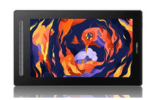
The Deco 01 V3 is finished in a choice of matte Black, vibrant Green, or soft Pink with a textured drawing surface that provides light resistance under the stylus tip. The texture is moderate: not so rough that nibs wear quickly (a common issue with some tablets), and not so smooth that the pen slides unpredictably. In the Indian climate, the matte surface handles palm sweat better than glossy alternatives, which is a practical advantage during warm-season drawing sessions. The illuminated edges around the working area are a small but genuinely useful addition for late-night drawing sessions or low-light study setups, letting you see the active-area boundary without an overhead light.
Dimensions and Desk Presence
The tablet measures 370 by 246 millimetres and sits flat on any desk. At 8mm thick, it is slim enough to store in a laptop bag. The eight express keys are positioned along the left edge, accessible with the left hand while the right hand draws. The key travel is satisfying without being loud, suitable for use in shared working spaces and library environments where Indian design students often study.
Cable and Connectivity
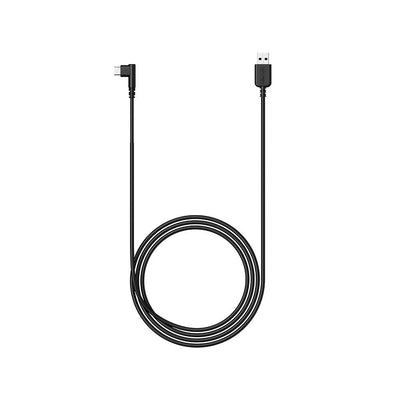
The Deco 01 V3 uses a USB-C to USB-C cable, with a USB-A adapter included in the box for older laptops and desktops. The cable is 1.5 metres long, adequate for desktop setups. For laptop users who work at a distance from their USB ports, a longer cable or a USB hub positioned closer to the working area keeps the desk neat. The USB-C port on the tablet is durable and shows good longevity across multiple connect-and-disconnect cycles, based on customer feedback over the V2 and V3 generations.
If you use the Deco 01 V3 on a laptop at a café or co-working space, run the USB cable under the tablet body rather than over it to prevent the cable from lifting the tablet edge and causing it to rock during drawing. A small cable clip or a piece of removable mounting tape on the underside of the tablet can hold the cable in a clean routing position.
4. The X3 Smart Chip Stylus in Use
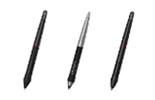
The X3 Smart Chip stylus is the most significant improvement the V3 introduces over the earlier Deco 01 V2. It is positioned by XPPen as the world's first 16K-pressure-level stylus, doubling the V2's 8,192 levels to 16,384. The older pen used a standard spring-loaded mechanism with a longer nib travel. The X3's chip-based mechanism has a shorter, more responsive travel that makes the pen feel more like a traditional felt-tip pen and less like a mechanical device.
Pressure Response in Practice
Drawing a tapered stroke from featherlight to firm and back to featherlight in Krita with the default Basic-5 Size brush produces a smooth, proportional width variation from the very first millimetre of contact. With 16,384 pressure levels, the transition between thin and thick strokes is noticeably finer than on the V2, particularly visible in slow, deliberate strokes where intermediate widths matter. The 3-gram activation force means that hovering the pen near the surface does not trigger accidental marks; contact must be deliberate, which reduces unintended ghost strokes during sustained drawing sessions.
Tilt in Krita and Clip Studio Paint
The 60-degree tilt recognition enables the Bristles brush in Krita to fan out when the pen is angled low to the tablet, simulating a tilted paintbrush. In Clip Studio Paint, tilt controls the edge character of certain hatching brushes. For illustrators who work with textured brushes, the tilt implementation feels natural and responsive without requiring deliberate tilting to activate.
5. Drawing Performance in Photoshop and Krita
Photoshop CC on Windows 11
With Windows Ink enabled in the driver and Disable Native Canvas unchecked in Photoshop's Technology Previews, the Deco 01 V3 delivers full 16,384-level pressure recognition across all brush types. The Healing Brush responds proportionally to pressure for skin retouching. The Dodge and Burn tools produce gradual, controllable tonal adjustments. Brush lag at a 3,000-pixel canvas on a mid-range Windows 11 laptop (Intel Core i5, 16GB RAM, integrated graphics) was imperceptible during normal drawing speeds.
Krita 5.x on Windows 11 and macOS
Krita's pressure curve integration with the Deco 01 V3 is smooth across all tested brush presets. The Basic-5 Size, Ink-2 Fineliner, and Bristles-2 Flat brushes all respond proportionally to pressure variation. Canvas rotation via keyboard shortcut (configurable to an express key) works without lag. At a 4,000-pixel canvas with 12 layers in Krita on the same mid-range laptop, brush response remained responsive at normal drawing speeds, with very slight lag during complex smearing operations on large brushes — a function of the laptop's processing power, not the tablet.
Clip Studio Paint and Animation
For frame-by-frame animation in Clip Studio Paint's animation mode, the Deco 01 V3's active area and express key configuration cover all production requirements. Assigning onion skin toggle and next/previous frame to express keys produces a fluid animation workflow without keyboard interruption. Line quality in Clip Studio Paint's G-Pen and Turnip Pen tools is clean, with consistent line confidence across diagonal, circular, and elliptical strokes.
Buy the XPPen Deco 01 V3 in India
Available now with India warranty, fast delivery, and the latest X3 Smart Chip stylus. The most recommended mid-range tablet in India's creative community.
View Deco 01 V36. Express Keys: Configuration and Workflow Impact
The eight express keys on the left edge of the Deco 01 V3 are the feature that most meaningfully differentiates it from the budget tablets in the Deco Fun and Star series. Configured thoughtfully, they eliminate the need to reach for the keyboard during the majority of a drawing session, which is the single most effective workflow improvement available from tablet hardware. The keys are designed for both right- and left-handed users — the tablet supports software-based rotation so the keys can sit on whichever side suits your dominant hand.
Recommended Configuration for Illustrators
Key 1: Ctrl+Z (undo). Key 2: Ctrl+Shift+Z (redo). Key 3: [ (decrease brush size). Key 4: ] (increase brush size). Key 5: E (eraser). Key 6: B (brush tool). Key 7: Canvas rotation left. Key 8: Canvas rotation right. This configuration handles 90 percent of all actions during a character illustration session without touching the keyboard.
Recommended Configuration for Photo Editors
Key 1: Ctrl+Z. Key 2: Ctrl+Alt+Z (step history). Key 3: [ (brush size down). Key 4: ] (brush size up). Key 5: Shift+[ (soften edge). Key 6: Shift+] (harden edge). Key 7: E (eraser). Key 8: Ctrl+S (save).
Application-Specific Profiles
The XPPen driver supports creating separate key profiles for each application. Open the driver, click Add Application, browse to the Photoshop executable, and set a different key configuration for that profile. The driver switches automatically when Photoshop comes into focus. Create profiles for each main application: Photoshop, Krita, Clip Studio Paint, and Lightroom each benefit from different key assignments.
7. Driver Setup and Software Compatibility
Installing the Deco 01 V3 on Windows 11 or macOS macOS Sonoma/ Sequoia/ Ventura takes under ten minutes following the standard process: download the current driver from XPPen India support, install, restart, connect the tablet. The driver icon appears in the system tray on Windows and the menu bar on macOS, confirming successful installation.
Driver compatibility testing on current software versions shows reliable pressure response in Photoshop CC 2024, Krita 5.2, Clip Studio Paint 2.x, GIMP 2.10, Illustrator CC, SAI, Corel Painter and Lightroom Classic. On macOS Sequoia, grant Full Disk Access, Accessibility, and Security Extension permissions as prompted during installation. For online teaching, the Deco 01 V3 works seamlessly with Zoom, Microsoft Teams, Google Meet, and WebEx — useful for educators annotating slides or solving problems on a shared whiteboard.
8. Android Compatability
Unlike many tablets in this price range, the Deco 01 V3 fully supports Android devices running Android 10.0 and above. Connection is via the included USB-C cable with an OTG adapter, plugged directly into your Android phone or tablet. For accurate aspect-ratio mapping in portrait mode — which matters because most Android phones have tall 19.5:9 or 20:9 screens — XPPen provides the free XPPen Tools app on the Google Play Store. The app lets you adjust the tablet's active area to match your phone's exact ratio, so you do not waste drawing surface or get distorted lines.
This makes the Deco 01 V3 a strong choice for Indian artists who switch between a laptop and an Android device for casual sketching with apps like Ibis Paint X, Medibang Paint, Autodesk Sketchbook, Concepts, and ArtFlow.
9. Limitations and Honest Criticisms
No Wireless Connectivity
The Deco 01 V3 is wired only. For users who want a cable-free desk setup, the Deco Pro MW/LW Gen 2 is the appropriate wireless upgrade. The wired connection adds no latency and is more reliable, but the cable is a physical constraint for users who draw at unusual angles or move the tablet frequently during a session.
No Physical Dial
The dial feature available on the Deco Pro Small for continuous brush size control or timeline scrubbing is absent. For high-volume retouching or animation studios where the dial significantly speeds up repetitive operations, the Deco Pro Small at a higher price point is the appropriate step up.
Single USB-C Connection
Some users would prefer an additional port or Bluetooth option. The single USB-C connection means the tablet occupies one USB port on the computer, which may be a minor constraint on laptops with only two USB-C ports. A USB hub solves this without any performance impact.
9. How It Compares to Other Options
vs. Deco Fun Large (Within XPPen Range)
The Deco Fun Large has the same 10x6.25-inch active area at a lower price but without express keys. If your budget is under Rs 5,000 and you are comfortable managing shortcuts from the keyboard, the Deco Fun Large is a reasonable alternative. If you want hardware key access, 16K pressure levels and are spending slightly more, the Deco 01 V3 is worth the premium.
vs. Deco Pro Small (Within XPPen Range)
The Deco Pro Small costs approximately Rs 8,000 to Rs 11,000, adds a physical dial, and has a slightly smaller active area (8x5 inches). For users who primarily want express keys and a large area, the Deco 01 V3 offers more drawing space. For users who primarily want the dial for brush size or timeline control, the Deco Pro Small is the right choice.
vs. Wacom Intuos Medium (Cross-Brand)
As detailed in the XPPen vs Wacom guide, the Deco 01 V3 offers 16,384 pressure levels — double the 8,192 levels on the Wacom Intuos Medium — along with tilt recognition at a price well below the Wacom Intuos Medium Pro. At twice the pressure sensitivity for roughly half the price, the Deco 01 V3 provides substantially better value for Indian buyers.
10. Who Should Buy the Deco 01 V3 in India?
- The Deco 01 V3 delivers 16,384 pressure levels, 60-degree tilt, a 10x6.27-inch active area, and eight express keys at Rs 6,299 — the strongest value at this price in India.
- The X3 Smart Chip stylus is a meaningful upgrade over previous-generation XPPen styluses, with faster activation, double the pressure sensitivity of the V2, and more natural pen feel.
- The eight express keys are the tablet's most impactful feature for workflow speed; configuring them on day one for your primary application is strongly recommended.
-
The Deco 01 V3 supports Android 10.0+, Chrome OS 88+, Windows, macOS, and Linux — making it one of the most broadly compatible tablets in its price range.
- It does not support wireless connection or a physical dial — for those features, look at the Deco Pro MW Gen 2 or Deco Pro Small respectively.
- Available in three colours (Black, Green, Pink) with a one-year India warranty from the official XPPen India store.
11. Related Reading
12. Frequently Asked Questions
Is the XPPen Deco 01 V3 worth buying in India in 2026?
Yes. The XPPen Deco 01 V3 is one of the strongest value propositions in the Indian graphic tablet market. It delivers a 10x6.27-inch active area, 8,192 pressure levels with tilt, eight configurable express keys, and a well-maintained driver at Rs 5,500 to Rs 7,000. For students, illustrators, educators, photo editors, and animators in India, it is the default recommendation in this price bracket.
What is the active area size of the XPPen Deco 01 V3?
The XPPen Deco 01 V3 has an active area of 10 by 6.27 inches (25.4 by 15.9 centimetres). This maps comfortably to standard 1080p and 1440p monitors and provides enough room for full-composition illustration and photo editing without requiring excessive hand travel.
Does the XPPen Deco 01 V3 work with Photoshop and Krita in India?
Yes. The Deco 01 V3 is compatible with Photoshop CC (all current versions), Krita, Clip Studio Paint, GIMP, Illustrator, and virtually all major drawing and design applications. On Windows, enable Windows Ink in the XPPen driver for full pressure recognition in Photoshop CC 2022 and later. Download the latest driver from XPPen India support.
How does the XPPen Deco 01 V3 compare to the Wacom Intuos Medium in India?
The Deco 01 V3 offers 8,192 pressure levels at a price significantly below the Wacom Intuos Medium Pro in India while delivering comparable drawing performance. The Wacom has a marginally lighter stylus activation force; the XPPen delivers equal or higher pressure levels at a lower price. See the full XPPen vs Wacom India comparison for detailed analysis.
Does the XPPen Deco 01 V3 support Android devices in India?
The standard Deco 01 V3 does not officially list Android support. For Android compatibility, the Deco Fun Small, Deco Fun Large, and Deco Mini 7 are the appropriate choices.
What is in the box when you buy the XPPen Deco 01 V3 in India?
The box includes the tablet, the battery-free X3 Smart Chip stylus, a USB-A to USB-C cable, a pen stand with replacement nibs, a quick start guide, and a driver download card. No separate power adapter is required.
What are the eight express keys on the XPPen Deco 01 V3 used for?
The eight express keys are fully programmable in the XPPen driver. For Photoshop retouching, recommended assignments are: Ctrl+Z (undo), Ctrl+Alt+Z (step history), [ and ] (brush size), Shift+[ and Shift+] (brush hardness), E (eraser), and Ctrl+S (save). Create application-specific profiles in the driver for Photoshop, Krita, and Clip Studio Paint separately. See our express keys setup guide for detailed configuration advice.


