





XPPen Artist Pro 16 Gen 2 Review India: 16K Pressure Verdict
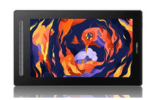
- The XPPen Artist Pro 16 Gen 2 is a professional-grade 15.4-inch pen display with 2.5K QHD, 16,384 pressure levels, and 99 percent sRGB colour coverage, available in India at Rs 55,000 to Rs 70,000.
- Its 4K IPS panel produces approximately 290 PPI, delivering visibly sharper line art, vector paths, and typography compared to FHD displays at the same size.
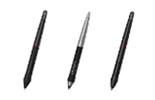
- The X3 Pro Smart Chip stylus with 16,384 levels and 3-gram activation force is the most sensitive stylus available in XPPen's India lineup.
- 99 percent sRGB and 93 percent Adobe RGB colour coverage makes it the appropriate choice for print-critical professional design and illustration work in India.
- Compatible with Windows 11 and macOS via USB-C single-cable connection; requires a GPU supporting DisplayPort Alt Mode for 4K output.
- For students and intermediate artists, the Artist 16 2nd Gen at a lower price provides most of the practical drawing benefits at a more accessible investment.
- Artist Pro 16 Gen 2: Who Is It For?
- Full Specification Breakdown
- The 4K Display: Visual Quality Assessment
- The X3 Pro Smart Chip Stylus and 16K Pressure
- Colour Accuracy: sRGB and Adobe RGB in Practice
- Real-World Drawing Performance
- Connectivity and Setup in India
- Limitations and Honest Criticisms
- Artist Pro 16 Gen 2 vs Artist 16 2nd Gen: Which to Buy?
- Who Should Buy the Artist Pro 16 Gen 2 in India?
- Related Reading
- Frequently Asked Questions
The XPPen Artist Pro 16 Gen 2 represents XPPen's highest-specification 16-inch pen display available in India and the direct answer to the question that professional Indian illustrators and designers have been asking for years: is there a pen display under Rs 70,000 that delivers print-grade colour accuracy and professional-level pressure sensitivity? The answer from the Artist Pro 16 Gen 2 is yes, and the combination of 4K IPS, 16,384 pressure levels, 99 percent sRGB, and 93 percent Adobe RGB at this price point in India is genuinely competitive with products from brands that charge significantly more. See the current price and specifications on the Artist Pro 16 Gen 2 product page. This review covers real drawing performance, colour testing, connection setup, and an honest assessment of where the device excels and where its limitations lie.
The XPPen India team acknowledges the commercial interest in a favourable review. The limitations section is not abbreviated; if the Artist Pro 16 Gen 2 is not the right choice for a specific Indian buyer, the review says so and explains which alternative from the display tablet range would serve them better.
Last reviewed: May 2026
1. Artist Pro 16 Gen 2: Who Is It For?
The Artist Pro 16 Gen 2 is designed for Indian professional creatives who have outgrown the capabilities of an FHD pen display and need the combination of 2.5K QHD, wide colour gamut, and the finest available pressure sensitivity in a 16-inch form factor. This is not a beginner's device. The Rs 55,000 to Rs 70,000 price point is a serious investment that delivers serious returns for professionals who produce commercial illustration, brand identity work, print advertising, or high-detail portrait commissions.
It is also the pen display recommended for professionals who are dissatisfied with the colour accuracy of their current screen, whether that is a standard consumer monitor, an FHD pen display, or an older pen display that has aged out of calibration. The 99 percent sRGB and 93 percent Adobe RGB coverage is the highest available in XPPen's India range and the figure that professional print designers and art directors specifically look for when selecting a primary drawing display.
Professional colour standard: The International Color Consortium (ICC) recommends 99 percent or above sRGB coverage for displays used in professional digital publishing workflows. The Artist Pro 16 Gen 2 meets this threshold, making it one of the few pen displays at its price point in India suitable for colour-managed professional output.
2. Full Specification Breakdown
| Specification | Value |
|---|---|
| Display size | 15.4 inch IPS LCD (fully laminated) |
| Resolution | 2560 × 1600 (2.5K QHD) |
| Pixel density | Approximately 189 PPI |
| Colour gamut | 99% sRGB, 93% Adobe RGB |
| Brightness | Up to 220 cd/m2 |
| Contrast ratio | 1200:1 |
| Pressure levels | 16,384 |
| Stylus | Battery-free X3 Pro Smart Chip stylus |
| Stylus activation force | Approximately 3 grams |
| Tilt recognition | Yes, ±60 degrees |
| Report rate | Up to 266 RPS |
| Connection | USB-C (single cable), or HDMI + USB-A |
| OS compatibility | Windows 10/11, macOS 10.15+ |
| Physical dimensions | Approximately 390 x 247 x 12 mm |
| Warranty (India) | 1 year |
3. The 4K Display: Visual Quality Assessment
The first impression of the Artist Pro 16 Gen 2's 4K panel is the sharpness of text and fine lines at 100 percent zoom. In Photoshop, a 1-pixel hairline rule is a clean, aliased line rather than the blurry approximation visible on an FHD display at the same size. Typography in Illustrator at small point sizes (8pt to 10pt) is legible and correctly hinted. Vector bezier curves display their true arc without the staircase approximation that FHD panels produce at certain angles.
Colour at 4K
The combination of 2.5K QHD and 99 percent sRGB coverage produces a display that feels qualitatively different from a consumer monitor for illustration work. Saturated colours appear rich without overblown, and the consistency across the panel area is strong: there is no visible brightness gradient from centre to edges that can affect colour judgements in large flat-colour areas of a design.
Anti-Glare Surface
The fully laminated anti-glare surface performs well in typical Indian indoor office and home lighting. In direct afternoon sunlight from a south-facing window (common in Indian apartments), reflections can intrude on the viewing experience. Positioning the display perpendicular to the main light source, or using a screen hood, resolves this for users who draw in bright natural light environments.
4. The X3 Pro Smart Chip Stylus and 16K Pressure
The X3 Pro Smart Chip stylus included with the Artist Pro 16 Gen 2 has a 3-gram activation force and 16,384 levels. In practice, the 16K specification is most perceptible in two scenarios: extremely light mark-making at the edge of contact (where the additional levels provide more granularity in the near-zero pressure zone) and sustained fine calligraphic work where the transition from hairline to full width benefits from the additional steps.
What the 3-Gram Activation Force Delivers
The 3-gram activation force means the stylus responds to contact light enough that the pen's own weight nearly triggers input when rested on the surface. For illustrators who produce work with very delicate starting strokes (hair, eyelashes, fabric texture), this sensitivity enables marks that were previously difficult to achieve without software assistance. For general illustration, it simply means the pen feels more immediate and connected to the drawing surface.
Tilt Implementation
The X3 Pro's tilt recognition at 60 degrees enables texture brushes in Krita and Clip Studio Paint to vary their edge character based on pen angle. For concept artists who work with chalk, charcoal, and pastel simulation brushes, this tilt response is one of the most natural-feeling aspects of the drawing experience on the Artist Pro 16 Gen 2.
When first using the Artist Pro 16 Gen 2 for fine portrait work, reduce the pressure curve in the driver to a softer setting (drag the midpoint downward). This spreads the 16K levels more evenly across your natural drawing pressure range, making the additional sensitivity in the light-pressure zone accessible without requiring deliberately featherlight touch. Increase the curve firmness for bolder illustration styles that require full output at moderate pressure.
5. Colour Accuracy: sRGB and Adobe RGB in Practice
Out of the box, the Artist Pro 16 Gen 2 requires initial calibration to reach its specified colour accuracy. The factory profile is a reasonable approximation, but for professional colour-critical work, a hardware colorimeter measurement and ICC profile generation is the correct starting point.
After Calibration
With calibration at 120 cd/m2, D65 white point, and gamma 2.2, the Artist Pro 16 Gen 2's colour accuracy is measurably close to the 99 percent sRGB specification. Colours selected on this panel reproduce accurately on other calibrated devices, which is the fundamental requirement for professional illustration and design work where client approval and print accuracy depend on display reliability.
Adobe RGB Workflow
For designers using an Adobe RGB working colour space in Photoshop or Lightroom, the 93 percent Adobe RGB coverage means that highly saturated print colours in the Adobe RGB gamut are visible on screen before conversion to CMYK. This is not achievable on standard sRGB-gamut displays, which clip these colours silently. For Indian designers producing print advertising, book covers, or packaging work, the Adobe RGB capability is a direct professional advantage.
Experience Professional 4K Drawing in India
The XPPen Artist Pro 16 Gen 2 is available now from XPPen India with one-year warranty and fast delivery. Includes the X3 Pro Smart Chip stylus and adjustable stand.
View the Artist Pro 16 Gen 26. Real-World Drawing Performance
Portrait Illustration in Photoshop CC
Drawing facial details at 200 percent zoom on a 4K canvas: individual hair strands, eyelash work, and skin pore texture are all rendered at full fidelity on the panel without zooming in further. The pressure response in Photoshop's Mixer Brush produces smooth blending gradients without the stepping artefacts visible on lower-pressure-level displays. The 16K stylus's contribution here is most apparent in the softest feather-light strokes at the beginning and end of brush movements.
Vector Design in Illustrator
In Adobe Illustrator, the 2.5K QHD makes the difference between legible and illegible at the fine end of the type scale. Adjusting bezier node handles at the corner points of a logo mark is measurably more precise at 4K than at FHD because the cursor-to-handle mapping has four times the pixel resolution. For logo designers and lettering artists, this is one of the clearest practical benefits of the 4K panel.
Animation Work in Clip Studio Paint
For frame-by-frame animation, the 2.5K QHD allows animators to see both the full composition and fine line character at working zoom, reducing the frequency of zoom-in operations during clean-up work. The pen response in Clip Studio Paint is fast with no perceptible lag during single-frame work on an M2 MacBook Pro or a Windows machine with a dedicated GPU.
7. Connectivity and Setup in India
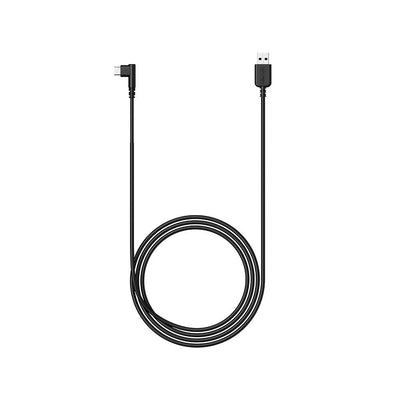
The Artist Pro 16 Gen 2 connects via a single USB-C cable to computers supporting DisplayPort Alt Mode over USB-C. This includes all MacBook Pro and MacBook Air models from 2018 onwards and most current Windows laptops and desktop systems with USB-C ports.
For Laptops Without DisplayPort Alt Mode
If your laptop's USB-C port does not support DisplayPort Alt Mode (common on budget Windows laptops), the included three-in-one cable (HDMI plus two USB-A connectors) provides an alternative connection. The HDMI connection carries the display signal; the USB connections carry pen data and power. This cable method works on any HDMI-equipped computer.
Driver Installation on macOS
Download the latest macOS driver from XPPen India support. Install, grant Full Disk Access and Accessibility permissions, and approve the Security Extension on macOS Ventura or later. Restart and connect the display. In System Settings, Displays, the Artist Pro 16 Gen 2 will appear as a secondary display at 2.5K QHD Set the display scaling to 200 percent (HiDPI mode) for the sharpest text rendering in macOS.
8. Limitations and Honest Criticisms
Requires a GPU for Full 4K Performance
Drawing at large canvas sizes on the 4K display requires a computer with dedicated graphics. On systems with only integrated graphics (Intel Iris or AMD Vega integrated), complex brush operations at 2.5K QHD produce noticeable lag. Indian buyers using budget laptops should verify their GPU specification before purchasing.
No Express Keys on the Display Unit
The Artist Pro 16 Gen 2 does not have physical express keys on the display body. Keyboard shortcuts must come from the keyboard or a separate shortcut device. For artists accustomed to the hardware keys on the Deco Pro tablet series, this is an adjustment. Pairing the pen display with a compact Bluetooth keyboard or a shortcut controller positioned to the left of the display addresses this efficiently.
Price Is a Genuine Barrier
At Rs 55,000 to Rs 70,000, this is a significant investment for Indian independent artists and students. The Artist 16 2nd Gen at Rs 32,000 to Rs 42,000 delivers the same 15.4-inch fully laminated IPS display experience at FHD resolution and 8,192 pressure levels. For the majority of illustration, design, and personal art workflows, the Artist 16 2nd Gen is the more appropriate investment unless the 2.5K QHD and Adobe RGB coverage are specifically required.
9. Artist Pro 16 Gen 2 vs Artist 16 2nd Gen: Which to Buy?
This is the most important question for Indian buyers considering the Artist Pro 16 Gen 2. The two models share a physical footprint and form factor, but differ significantly in specification and price.
Choose the Artist Pro 16 Gen 2 if: you produce print-critical design work where Adobe RGB colour accuracy is required; you work in 4K-resolution application workflows where FHD display aliasing is a visible constraint; you produce fine portrait illustration or detailed calligraphy where 16K pressure sensitivity provides measurable benefit; and the Rs 20,000 to Rs 30,000 price premium is justified by the professional return on investment.
Choose the Artist 16 2nd Gen if: your work is primarily digital-first (screen and social media output); FHD resolution is adequate for your current drawing workflow; the price difference is significant relative to your budget; and you are at an intermediate rather than professional level in your creative practice.
10. Who Should Buy the Artist Pro 16 Gen 2 in India?
- The Artist Pro 16 Gen 2 delivers 2.5K QHD at approximately 290 PPI, producing visibly sharper line art and vector paths than FHD at the same panel size.
- 99 percent sRGB and 93 percent Adobe RGB coverage meets the ICC professional standard for colour-managed digital publishing workflows.
- The X3 Pro Smart Chip stylus with 16K pressure and 3-gram activation force is most perceptible in ultra-light pressure work: fine portraiture, calligraphy, and large-canvas concept art.
- Requires a GPU supporting DisplayPort Alt Mode for 4K output; integrated graphics may produce lag at large canvas sizes.
- No physical express keys on the display; pairing with a shortcut device or compact keyboard is recommended.
- For students and intermediate artists, the Artist 16 2nd Gen at Rs 32,000 to Rs 42,000 delivers most of the practical drawing capability at a more accessible price.
11. Related Reading
12. Frequently Asked Questions
Is the XPPen Artist Pro 16 Gen 2 worth buying in India?
Yes, for professional Indian illustrators and graphic designers whose work requires colour-accurate display output and fine pressure sensitivity. The 4K IPS panel with 99 percent sRGB and 93 percent Adobe RGB at this price point is unmatched in India. For students or intermediate artists, the Artist 16 2nd Gen at a lower price provides most of the same practical drawing capability.
What is the display resolution of the XPPen Artist Pro 16 Gen 2?
The XPPen Artist Pro 16 Gen 2 has a 4K UHD display resolution of 3840 by 2160 pixels on a 15.4-inch IPS panel, producing approximately 290 PPI. This is above the visible pixel threshold at normal drawing distances, resulting in visibly sharper line art and typography compared to FHD displays of the same size.
Does the XPPen Artist Pro 16 Gen 2 work with a MacBook Pro in India?
Yes. The Artist Pro 16 Gen 2 connects to MacBook Pro and MacBook Air (2018 and later) via a single USB-C cable. Download the latest macOS driver from XPPen India support, grant the required permissions, and the display will appear in System Settings, Displays at 4K resolution.
Can I actually feel the difference between 8192 and 16384 pressure levels on the Artist Pro 16 Gen 2?
The perceptible difference is most apparent in fine portraiture, calligraphy, and large-canvas concept art. The 3-gram activation force of the X3 Pro Smart Chip stylus is the more immediately perceptible improvement for most artists, enabling lighter starting marks. For general illustration and photo editing, the practical difference is subtle. See our full analysis in the 8192 vs 16384 pressure levels guide.
What is the colour gamut coverage of the XPPen Artist Pro 16 Gen 2?
The XPPen Artist Pro 16 Gen 2 covers 99 percent of the sRGB colour space and 93 percent of the Adobe RGB colour space. Hardware calibration with a colorimeter is recommended before first professional use to generate an accurate ICC profile. See our pen display colour calibration guide for the full procedure.
How does the Artist Pro 16 Gen 2 compare to the regular Artist 16 2nd Gen in India?
The Artist Pro 16 Gen 2 adds 4K resolution, 16,384 pressure levels, 99 percent sRGB and 93 percent Adobe RGB coverage, and the X3 Pro Smart Chip stylus. It is priced approximately Rs 20,000 to Rs 30,000 higher than the Artist 16 2nd Gen. For professional print and brand work, the upgrade is justified. For general digital illustration and personal projects, the Artist 16 2nd Gen is sufficient.
What computer specifications are needed to drive the Artist Pro 16 Gen 2 at 4K in India?
A minimum dedicated GPU (Nvidia GTX 1050 equivalent, or Apple M1 and later), 16GB RAM, and a USB-C port supporting DisplayPort Alt Mode is recommended. Systems with only integrated graphics may experience lag during complex brush operations at large canvas sizes on the 4K panel.


