





Best Pen Display Tablets in India : Top Drawing Monitors
- Pen displays integrate a screen with the drawing surface, allowing artists to draw directly on the image they are creating.
- The XPPen Artist series leads the Indian market in 2026, offering fully laminated displays from 10 to 24 inches at competitive prices.
- Full lamination eliminates parallax between the pen tip and cursor and is the most important display quality feature to check before buying.
- Colour gamut coverage (sRGB and Adobe RGB) determines whether colours on screen accurately represent your artwork in print and on other displays.
- A 16-inch pen display is the optimal screen size for most Indian home studio setups, balancing drawing area with desk footprint.
- All XPPen Artist displays require a connected computer and connect via USB-C or HDMI plus USB for power and data.
- What Is a Pen Display Tablet?
- How Pen Display Technology Works
- XPPen Artist Series: Full Comparison for India 2026
- Best Pen Display Under Rs 30,000: Artist 13 2nd Gen
- Best 16-Inch Pen Display: Artist 16 2nd Gen
- Best Professional Pen Display: Artist Pro 16 Gen 2
- Large-Format Options: Artist 22 Plus and Artist 24 Pro
- How to Choose Screen Size and Colour Spec
- Connecting and Calibrating Your Pen Display
- Who Should Buy a Pen Display in India?
- Related Reading
- Frequently Asked Questions
Finding the best pen display tablet in India in 2026 requires more than reading a specification list. Colour accuracy, lamination quality, stylus performance, and the practical realities of Indian desk setups all influence which drawing monitor will serve your workflow best. The XPPen Artist display series spans screen sizes from 10 to 24 inches and price points from under Rs 25,000 to over Rs 90,000, covering every professional segment in the Indian market.
This guide provides a complete evaluation of every current XPPen pen display available in India, including the display technology behind each recommendation, the specific use cases each model excels in, and the connection and calibration steps needed to get accurate colour from day one. The XPPen India team supports artists and studios across every creative discipline, and the observations in this guide reflect that breadth of real-world experience.
Last reviewed: May 2026
1. What Is a Pen Display Tablet?
A pen display tablet, also known as a drawing monitor or pen display, integrates an LCD or OLED screen directly into the drawing surface. The artist draws with a pressure-sensitive stylus on the screen itself, seeing the marks appear beneath the pen tip in real time. This direct visual feedback is what distinguishes a pen display from a screenless pen tablet, where the artist draws on a blank surface while watching a separate monitor.
Pen displays connect to a computer as an additional monitor. They do not replace the computer; they replace the mouse for all drawing tasks and replace a secondary monitor for the drawing canvas. A single-cable USB-C connection handles both display signal and pen data on modern XPPen models, though older laptops may require the HDMI plus USB combination cable included in the box.
Market context: The pen display segment in India has grown significantly since 2022. According to data tracked by the India Brand Equity Foundation, digital creative tools including drawing monitors now account for a measurable share of India's professional creative equipment market, driven by the expansion of game development, animation, and digital content creation industries.
2. How Pen Display Technology Works
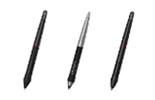
The pen tracking in an XPPen pen display uses the same electromagnetic resonance (EMR) technology as screenless pen tablets. A grid of copper coils beneath the display surface generates a scanning field. The battery-free stylus contains a resonant circuit that responds to this field, allowing the tablet to calculate pen position, pressure, and tilt with sub-millimetre accuracy.
Full Lamination: Why It Matters
Non-laminated pen displays have an air gap between the protective glass and the LCD panel. This gap causes parallax: the visible cursor appears slightly offset from the physical pen tip, making precise mark-making difficult. Fully laminated pen displays bond the glass directly to the panel, eliminating the gap. The pen tip feels like it is touching the pixels directly, which is the gold-standard drawing experience.
All current XPPen Artist series models available in India use fully laminated displays. This is a significant quality milestone that earlier-generation budget pen displays did not meet.
Anti-Glare Coating
The surface of an XPPen pen display uses a matte anti-glare coating that reduces reflections from ambient lighting, which is important in Indian work environments where overhead fluorescent lighting and large windows are common. The coating also adds a slight texture that simulates paper grain, making the drawing surface feel more natural under the stylus.
3. XPPen Artist Series: Full Comparison for India 2026
| Model | Screen Size | Resolution | Colour Gamut | Pressure Levels | Dimensions | Listed Weight | Current Listed Price |
| Artist 10 2nd Gen | 10.1 inch | 1920 x 1080 FHD | 85% NTSC, 120% sRGB, 88% Adobe RGB | 8,192 | 299 x 173.3 x 12.9 mm | Approx 1450 g | Rs 16,499 |
| Artist 12 2nd Gen | 11.9 inch | 1920 x 1080 FHD | 90% NTSC, 127% sRGB, 94% Adobe RGB | 8,192 | 346.2 x 209 x 12 mm | Approx 1650 g | Rs 21,499 |
| Artist 13 2nd Gen | 13.3 inch | 1920 x 1080 FHD | 92% NTSC, 130% sRGB, 96% Adobe RGB | 8,192 | 378 x 225 x 11.99 mm | Approx 1900 g | Rs 27,499 |
| Artist 16 2nd Gen | 15.4 inch | 1920 x 1080 FHD | 90% NTSC, 127% sRGB, 94% Adobe RGB | 8,192 | 434 x 255.8 x 12.89 mm | Approx 2700 g | Rs 33,499 |
| Artist Pro 16 Gen 2 | 16 inch | 2560 x 1600 2.5K QHD | 99% sRGB, 97% Adobe RGB, 99% DCI P3 | 16,384 | 405.11 x 291.37 x 20.23 mm | Approx 2700 g | Rs 42,999 |
| Artist 22 Plus | 21.5 inch | 1920 x 1080 FHD | 99% sRGB, 91% Adobe RGB | 16,384 | 547 x 364.67 x 33.4 mm | Approx 10500 g | Rs 44,999 |
| Artist 24 Pro | 23.8 inch | 2560 x 1440 2K QHD | 90% Adobe RGB | 8,192 | 632 x 370 x 44.8 mm | Approx 11500 g | Rs 64,999 |
4. Best Pen Display Under Rs 30,000: Artist 13 2nd Gen
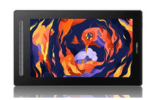
The XPPen Artist 13 2nd Gen is the strongest value pen display in India under Rs 32,000 in 2026. Its 13.3-inch fully laminated IPS display offers a comfortable working area for illustration and character design without requiring a large desk footprint. The X3 Smart Chip stylus delivers 8,192 pressure levels and 60-degree tilt recognition with a 3-gram activation force.
Colour and Display Quality
At 88 percent sRGB colour gamut coverage, the Artist 13 2nd Gen renders colours that are accurate enough for digital-first work, social media content, and most commercial illustration. The panel achieves 1000:1 contrast ratio and 220 cd/m2 brightness, which performs adequately in a well-lit Indian studio environment with overhead lighting typical of apartments and co-working spaces.
Connectivity
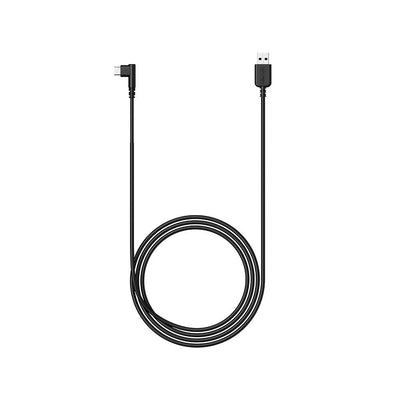
A single USB-C to USB-C cable connects the Artist 13 to any laptop supporting DisplayPort Alt Mode. For older laptops with only USB-A ports, the included three-in-one cable (HDMI plus two USB-A connections) provides an alternative. The tablet is bus-powered for most operations, though a USB power adaptor may be required for sustained use with some laptop configurations.
Before purchasing the Artist 13 2nd Gen, check whether your laptop's USB-C port supports DisplayPort Alt Mode. Most MacBook and recent Dell, HP, and Lenovo models do. Budget laptops and older Windows models sometimes have USB-C ports that only handle power or data, not display output. If your port lacks DisplayPort Alt Mode, use the HDMI cable included in the box.
5. Best 16-Inch Pen Display: Artist 16 2nd Gen
The XPPen Artist 16 2nd Gen is the most popular pen display in India's mid-range segment for good reason. A 15.4-inch display offers meaningfully more drawing area than a 13-inch model while remaining manageable on a standard work desk. For illustrators, character designers, and concept artists who spend four or more hours daily on detailed work, the additional screen real estate reduces the need to zoom in and navigate frequently.
Why 16 Inches Is the Sweet Spot for India
In India's typical apartment home studio, desk depth averages between 50 and 60 centimeters. A 16-inch pen display at a working angle of 20 to 30 degrees from horizontal occupies approximately 35 to 40 centimeters of desk depth, leaving room for a keyboard, a reference monitor, and writing space. A 22-inch or larger display requires a deeper desk to maintain a comfortable viewing and drawing distance.
Performance in Practice
The Artist 16 2nd Gen uses the same X3 Smart Chip stylus as the Artist 13, with identical pressure sensitivity and tilt response. The larger screen provides a more generous canvas-to-hand mapping: a stroke covering the full 15 inches of the panel requires broader arm movement, which helps artists develop the shoulder-drawn line technique that produces professional-quality strokes.
Compare the Full Artist Display Range
From the compact Artist 10 to the large-format Artist 24 Pro, every pen display in the XPPen India range ships with India warranty support and fast delivery.
Shop Artist Display Series6. Best Professional Pen Display: Artist Pro 16 Gen 2
The XPPen Artist Pro 16 Gen 2 is the flagship pen display in India's sub-Rs 70,000 segment. Its 2.5K QHD, 2560 x 1600 IPS display covers 99 percent of the sRGB colour space and 97 percent of Adobe RGB, making it the only pen display at this price point in India suitable for professional print-grade colour work. The X3 Pro Smart Chip stylus delivers 16,384 levels of pressure sensitivity, the highest available in a consumer pen display in India.
2.5K QHD Display: When Resolution Matters
At the same 15.4-inch screen size as the Artist 16 2nd Gen, the Artist Pro 16 Gen 2 packs four times the pixels into the same area. This produces a pixel density of approximately 189
PPI, which is above the threshold where individual pixels become invisible to the naked eye at normal drawing distances. Detailed line art, fine typography, and precision illustration benefit noticeably from this resolution step up.
Colour Accuracy for Print and Screen
A 99 percent sRGB and 93 percent Adobe RGB colour gamut means colours on the Artist Pro 16 Gen 2 are reliably accurate across print workflows, broadcast standards, and digital publishing requirements. Indian illustrators producing work for international clients, game studios, or print-on-demand platforms will find the colour accuracy prevents the common problem of artwork looking different on client displays than it does on the drawing screen.
7. Large-Format Options: Artist 22 Plus and Artist 24 Pro
Artist 22 Plus
The Artist 22 Plus is designed for artists who want a large working area at a price that does not reach the premium tier. Its 21.5-inch FHD display provides a generous canvas, particularly valuable for storyboarding, comic panel layouts, and architectural sketching where spatial context matters. It requires a dedicated desk position and is less suited to Indian apartment setups where a movable workflow is necessary.
Artist 24 Pro
The Artist 24 Pro is XPPen India's largest professional pen display, at 23.8 inches with 92 percent Adobe RGB colour coverage. It is designed for production studios, architectural firms, and professional illustrators who work at scale. At this size, the display functions more like a drafting table than a peripheral device. It requires a height-adjustable desk or monitor arm for ergonomically correct positioning.
Large-format pen displays (22 inches and above) draw more power than a laptop USB port can supply. They require their own power adaptor connected to a wall outlet. Ensure your workspace has a dedicated power socket positioned near your desk before purchasing a large-format model. This is a practical consideration in many Indian rental apartments where socket placement is not always ideal.
8. How to Choose Screen Size and Colour Spec
Screen Size Decision Framework
Choose 10 to 13 inches if: your desk is compact (under 80 cm wide), you travel frequently, or you use the pen display as a secondary input device alongside a primary monitor. Choose 15 to 16 inches if: you work from a dedicated home studio desk with moderate space, you draw for more than two hours daily, and you want the most common professional size used by Indian freelancers and studio artists. Choose 22 inches and above if: you work in a dedicated studio with a large fixed desk, you produce large-scale illustrations or architectural drawings, and you require the maximum drawing area available.
Colour Specification for Your Use Case
If your work is entirely digital and viewed only on screens (social media illustration, web content, game UI), 88 to 90 percent sRGB coverage is fully adequate. If your work includes print production, book covers, packaging design, or commercial advertising for clients who review colour on calibrated monitors, invest in a display with 90 percent or higher Adobe RGB coverage. The Artist Pro 16 Gen 2 and Artist 24 Pro are the appropriate choices for colour-critical professional work.
9. Connecting and Calibrating Your Pen Display
Initial Connection
Download the latest driver from XPPen India support before connecting the display. Install the driver and restart. Then connect the display cable (USB-C or HDMI plus USB). Your operating system should detect the display as a new monitor. Set it to Extended mode (not Duplicate) in display settings so it operates as a separate workspace for your drawing application.
Colour Calibration
Open the display's OSD (on-screen display) using the physical buttons on the side or bottom of the display unit. Set brightness to 120 cd/m2, select the sRGB preset if available, and set colour temperature to 6500K (D65 white point). These settings correspond to the standard colour viewing conditions recommended by the International Color Consortium for digital art production. For more precise calibration, use a hardware colorimeter, which produces an ICC profile that all colour-managed applications will use automatically.
Driver Configuration for Pen Displays
In the XPPen driver, navigate to Working Area and select the pen display monitor rather than your primary display. This maps the tablet active area to the pen display screen only, ensuring the pen cursor stays within the drawing application window and does not drift to the primary monitor. Configure express keys (if present) and the pressure curve following the same process as for pen tablets.
10. Who Should Buy a Pen Display in India?
- The XPPen Artist 13 2nd Gen is the best pen display under Rs 32,000 in India, combining full lamination, 8K pressure, and USB-C connectivity.
- The Artist 16 2nd Gen is the most popular size choice for Indian home studios, offering the best balance of working area and desk footprint.
- The Artist Pro 16 Gen 2 is the professional pick for colour-critical work, with 4K resolution, 16K pressure, and 99 percent sRGB coverage.
- Full lamination is non-negotiable; all current XPPen Artist models in India are fully laminated.
- Colour calibration at 120 cd/m2 brightness and 6500K white point is the standard starting point for accurate colour in India.
- Large-format models (22 inches and above) require dedicated desk space and a separate power adaptor, which should be factored into Indian apartment setups.
11. Related Reading
12. Frequently Asked Questions
Which is the best pen display under Rs 30,000 in India in 2026?
The XPPen Artist 13 2nd Gen is the strongest choice under Rs 30,000 in India in 2026. It features a 13.3-inch fully laminated IPS display, 8,192 pressure levels with 60-degree tilt, 88 percent sRGB colour gamut, and a USB-C connection compatible with modern laptops.
Do pen displays require a separate computer to work?
Yes. Standard pen displays like the XPPen Artist series connect to a computer as an additional monitor and require an active connection to function. The XPPen Magic Drawing Pad is the exception, running Android natively and working independently without a connected computer.
What colour gamut coverage should I look for in a pen display in India?
For illustration and digital painting, a minimum of 90 percent sRGB is the practical threshold for accurate colour representation. For professional print work, Adobe RGB coverage above 80 percent is desirable. The XPPen Artist Pro 16 Gen 2 covers 99 percent sRGB and 93 percent Adobe RGB, making it suitable for professional colour-critical work.
How do I calibrate a pen display for accurate colour in India?
Use the on-screen display menu (OSD) to set brightness to approximately 120 cd/m2 and select the sRGB preset if available. For professional calibration, use a hardware colorimeter such as a Datacolor Spyder or X-Rite i1Display. Software-only calibration through your operating system's colour management panel is a viable free alternative for general illustration work.
Is a 13-inch or 16-inch pen display better for Indian artists working at home?
For most home studio setups in India where desk space is moderate, a 16-inch pen display offers the best balance of working area and footprint. The Artist 16 2nd Gen is the most popular choice in this segment. A 13-inch is more portable and suits smaller desks or artists who travel frequently.
What cable does an XPPen pen display use to connect to a laptop in India?
Most current XPPen pen displays use a USB-C to USB-C cable for single-cable connection with laptops that support DisplayPort Alt Mode over USB-C. For laptops without this capability, a three-in-one cable (HDMI plus two USB-A connectors) is included in the box. Check your laptop's USB-C port specification before purchasing to determine which cable you will need.
Can I use an XPPen pen display with a MacBook Pro or MacBook Air in India?
Yes. XPPen pen displays are compatible with MacBook Pro and MacBook Air models from 2018 onwards via USB-C. Download the latest macOS driver from the XPPen India support page and follow the macOS permission setup steps for Ventura or Sequoia. The display will appear as a secondary monitor in System Settings under Displays.


