





Best Drawing Tablet for Animation India: 2D and 3D Workflows
- Animation workflows in India span 2D frame-by-frame production, traditional-style digital painting, motion comics, and 3D character sculpting, each with distinct tablet requirements.
- Pen tablets are the preferred tool for 2D frame-by-frame production animation due to the flat surface's support for fast, rhythmic arm movement across frames.
- Pen displays are favoured for character design, storyboarding, and layout work where drawing directly on the image aids spatial composition.
- A large active area (10x6 inches and above) is the most important tablet specification for 2D animation, enabling the broad arm gestures that produce fluid motion.
- Indian animation studios using Toon Boom Harmony, Adobe Animate, and Clip Studio Paint all have confirmed XPPen driver compatibility.
- 3D sculpting in ZBrush and Blender benefits significantly from pen pressure sensitivity, which maps directly to sculpting brush strength and scale.
- How Animation Workflows Use Drawing Tablets
- Pen Tablet vs Pen Display for Animation
- Tablet Specifications That Matter Most for Animation
- Best Tablets for 2D Frame-by-Frame Animation in India
- Best Tablets for Storyboarding and Layout in India
- Best Tablets for 3D Sculpting in ZBrush and Blender
- Software Compatibility: Toon Boom, Animate, Clip Studio
- Common Animation Tablet Mistakes to Avoid
- Professional Tips from Indian Animation Workflows
- Who Uses Animation Tablets in India?
- Related Reading
- Frequently Asked Questions
Animation is one of the most tablet-intensive creative workflows in the Indian digital industry. Whether you are producing frame-by-frame character animation for a broadcast television series, sculpting a game character's face mesh in ZBrush, or boarding out a feature film sequence in Toon Boom Storyboard Pro, the drawing tablet is not merely a convenient input device but the primary creative instrument through which every frame is brought to life. The question of which tablet is best for animation in India is not a single question; it depends on which part of the animation pipeline you work in and whether your studio favours pen tablets or pen displays for that stage. Browse the XPPen animation tablet collection to see the current range before reading the detailed breakdown below.
This guide draws on the practical realities of Indian animation production, from the large broadcast studios producing content for OTT platforms to the growing number of independent animators creating short films and motion comics for social media. The XPPen India team works with animation professionals across these segments, and the recommendations here reflect genuine workflow observations rather than theoretical specification comparisons.
Last reviewed: May 2026
1. How Animation Workflows Use Drawing Tablets
A drawing tablet enters the animation pipeline at multiple stages. In 2D animation, the tablet is used for rough animation (blocking out character poses and motion), clean-up animation (refining rough frames into final line art), background painting, and colour styling. In 3D animation, the tablet is used primarily at the concept and sculpting stages: character concept design, expression sheets, 3D model sculpting in ZBrush or Blender, and texture painting on UV maps.
The 2D Production Pipeline
In traditional-style 2D animation produced in India for broadcast television and OTT platforms, animators typically work in Toon Boom Harmony or Adobe Animate. The workflow involves drawing on a light table (digitally, a transparent layer over the previous frame) and producing each key frame and in-between frame as a separate drawing. This is high-volume, repetitive mark-making that requires a tablet surface comfortable enough to use for six to eight hours daily.
The 3D Pipeline Entry Point
In 3D animation pipelines, the tablet enters before the 3D work begins, during concept design and character sheet creation, and then re-enters during sculpting. ZBrush and Blender's sculpting tools respond to pen pressure directly, mapping it to brush intensity and size. This allows organic surface modelling that mouse-based input cannot replicate with the same fluidity.
Industry scale: India's animation and VFX sector is one of the country's fastest-growing creative industries. According to the Federation of Indian Chambers of Commerce and Industry (FICCI), India's media and entertainment industry including animation and VFX was on track to exceed Rs 2.5 lakh crore by 2026, with drawing tablets representing a core equipment investment for the thousands of artists entering this sector annually.
2. Pen Tablet vs Pen Display for Animation
The pen tablet versus pen display debate has a clearer answer in animation than in most other creative disciplines. For production 2D animation, the overwhelming preference among Indian professional animators is the pen tablet. For concept design, storyboarding, and 3D work reference drawing, the pen display is often preferred.
Why Pen Tablets Win for 2D Production
Frame-by-frame animation requires producing many drawings quickly, often under time pressure in a studio environment. The flat pen tablet surface enables a fast, rhythmic drawing motion using shoulder and elbow movement. Animators who have developed this technique can produce clean-up line art at speeds that a pen display workflow, which requires more deliberate visual attention to the drawing surface, typically cannot match. The ergonomic advantage of the flat surface also matters significantly over a full working day: less neck flexion, no heat from the display, and lighter physical weight on the desk.
Where Pen Displays Excel in Animation
Storyboard artists, background painters, and character designers who are composing images from scratch (rather than cleaning up existing rough drawings) benefit from the on-screen visual feedback of a pen display. Drawing a complex environmental composition or a subtle facial expression is easier when you can see the result directly beneath your pen tip without the hand-eye coordinate translation required on a pen tablet.
Many Indian animation studios that produce both broadcast television content and original short films maintain both pen tablets and pen displays in the same studio. Production animators use pen tablets at their workstations. Art directors, character designers, and storyboard artists typically have access to pen displays. Understanding which role you fill in the pipeline is the most reliable guide to which device type to invest in.
3. Tablet Specifications That Matter Most for Animation
| Specification | 2D Frame by Frame | Storyboarding and Layout | 3D Sculpting | Why It Matters |
| Active area size | Important, medium to large preferred | Important, medium to large preferred | Moderate | A larger area supports broader arm movement, smoother strokes and better control over full compositions |
| Pressure sensitivity | Important, 8K minimum recommended | Moderate to important, 8K is enough | Critical, 8K minimum recommended | Helps with line weight, brush opacity, shading control and sculpting brush strength |
| Tilt recognition | Useful for expressive brushwork | Useful for backgrounds and sketching | Useful, depending on sculpting software | Helps create more natural brush behaviour, especially for organic strokes and angled brush effects |
| Express keys | Important for frame navigation and undo | Important for tool switching | Useful for brush size, rotate and zoom | Speeds up repetitive actions and reduces constant keyboard use |
| Display or pen display | Optional but highly beneficial | Beneficial | Beneficial for reference based sculpting and direct visual control | Drawing directly on screen improves hand eye coordination, composition and line placement |
| Wireless | Low to moderate benefit | Moderate benefit | Low priority | Helps reduce desk clutter, but wired connection is usually more stable for long production sessions |
4. Best Tablets for 2D Frame-by-Frame Animation in India
XPPen Deco Pro MW/LW Gen 2 — Top Professional Choice
XPPen Deco Pro Gen 2 comes in MW, LW and XLW sizes. The MW has a 9 x 6 inch work area, the LW has an 11 x 7 inch work area, and the XLW has a 15 x 9 inch work area. It has 16K pressure levels, 60 degree tilt, Bluetooth and wired connectivity, and battery life of 10 hours or more.
XPPen Deco 01 V3 — Best Value for Independent Animators
The Deco 01 V3 at Rs 5,500 to Rs 7,000 delivers the same 10x6.27-inch active area as the Deco Pro at approximately half the price. For independent animators, animation students, and small studios working with limited equipment budgets, it provides professional-quality 2D animation capability without the premium of wireless or the dial feature. The eight express keys are fully configurable for Toon Boom Harmony's frame navigation, onion skin toggle, and brush size shortcuts.
Explore XPPen Tablets Built for Animation
From the budget-friendly Deco 01 V3 to the wireless Deco Pro LW Gen 2, every animation-focused XPPen tablet ships with India warranty and fast delivery.
Shop Animation Tablets5. Best Tablets for Storyboarding and Layout in India
XPPen Artist 16 2nd Gen — Storyboard Artist's Choice
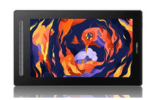
Storyboard artists and layout designers benefit from working directly on screen because they compose spatially complex images where the relationship between elements in the frame matters more than raw drawing speed. The Artist 16 2nd Gen provides a comfortable 15.4-inch working surface for staging action across panels, with enough screen real estate to see two or three board panels at working size simultaneously in Toon Boom Storyboard Pro.
XPPen Artist Pro 16 Gen 2 — Premium Layout Work
For studios producing high-end content for feature film or premium OTT platforms, the Artist Pro 16 Gen 2 provides the 4K resolution that allows storyboard artists to see fine details in background layouts and character staging at full working zoom. The 16K pressure sensitivity supports the nuanced gestural lines that experienced storyboard artists use to convey camera movement and character physicality in rough boarding.
6. Best Tablets for 3D Sculpting in ZBrush and Blender
3D sculpting in India's VFX and game development studios uses drawing tablets primarily for ZBrush, Mudbox, and Blender's sculpting mode. In these applications, the stylus pressure maps to the sculpting brush's intensity and, in some configurations, the radius of the brush influence. The result is that organic surface modelling with a tablet produces vastly more naturalistic results than mouse-based sculpting, because the artist's physical pressure variation creates the kind of irregular, weighted marks that define organic forms.
Active Area and 3D Sculpting
For ZBrush sculpting, a medium to large active area is preferred because artists rotate the model frequently and make large sweeping strokes to define primary forms before working down to fine surface detail. A 10-inch active area provides comfortable rotation gestures. Tilt recognition helps define directional strokes for scales, fur, and surface texture where the angle of the stroke matters to the visual result.
Recommended Setup for Indian 3D Artists
The Deco Pro Small or Deco 01 V3 are the right pen tablet choices for ZBrush and Blender sculpting in India. For artists who prefer seeing their reference drawings or concept art directly while sculpting, the Artist 16 2nd Gen as a second display alongside the primary 3D rendering monitor is an effective studio setup.
7. Software Compatibility: Toon Boom, Animate, Clip Studio
Toon Boom Harmony and Storyboard Pro
Toon Boom Harmony is the industry-standard animation software for Indian broadcast television studios. All XPPen tablets work with Harmony through the standard driver. Assign frame navigation (go to next drawing, go to previous drawing), onion skin toggle, and layer visibility toggle to express keys for maximum production speed. The Deco Pro's physical dial is particularly useful for scrubbing the Harmony timeline in real time without a keyboard.
Adobe Animate
Adobe Animate is widely used in Indian studios producing web animations, educational content, and social media motion graphics. XPPen tablets work with Animate through the Windows Ink pathway. Enable Windows Ink in the driver for full pressure recognition in Animate's brush and pencil tools. The pressure-sensitive brush in Animate produces the variable-width lines characteristic of professional 2D character animation.
Clip Studio Paint (Animation Mode)
Clip Studio Paint's animation module is increasingly used by independent Indian animators producing motion comics and short-form animation for YouTube and Instagram. It supports frame-by-frame animation with onion skin, cels, and a timeline, and is fully compatible with all XPPen tablets. The software is available at a one-time purchase price that is significantly lower than Toon Boom Harmony's subscription, making it the practical choice for independent animators and small studios on a budget.
In Toon Boom Harmony, set the tablet driver to Wintab (not Windows Ink) in the XPPen driver preferences for the most reliable pressure response. Harmony's proprietary input handling works most consistently with the Wintab protocol on Windows. On macOS, the standard driver configuration works without modification.
8. Common Animation Tablet Mistakes to Avoid
Buying a Small Tablet for 2D Animation
The most consistent mistake new animators make in India is purchasing a compact tablet to save cost and then finding that the limited active area constrains the arm movement required for fluid character poses. An animator who draws 50 to 100 frames per day on a 4x3-inch tablet will develop cramped, tight strokes that translate to stiff, mechanical-looking motion. Invest in at least a 10x6-inch active area for production 2D animation work.
Not Configuring Frame Navigation Shortcuts
Production animators who do not assign frame navigation shortcuts to express keys spend a significant portion of their working day on keyboard shortcut input. In Toon Boom Harmony, the difference between having next-frame and previous-frame bound to physical keys versus reaching for the keyboard is measured in minutes per day, which accumulates to hours per week across a full production.
Using Overly High Pressure Curves for Clean-Up Work
Clean-up animation requires consistent, controlled line weight. A pressure curve that outputs full weight with moderate force (useful for rough sketching) produces inconsistent line thickness in clean-up work. Set the pressure curve to a linear or slightly firm profile for clean-up sessions and use a softer curve only for rough and sketch passes.
9. Professional Tips from Indian Animation Workflows
Calibrate Active Area to Animation Canvas Proportions
Most Indian animation studios work at a 16:9 canvas ratio for television and streaming deliverables. Map the tablet active area to the same 16:9 proportion in the XPPen driver to ensure pen gestures translate proportionally to canvas coverage. A tablet mapped to a 4:3 active area on a 16:9 canvas will produce horizontally compressed strokes that do not match the artist's intended gesture.
Use the Dial for Timeline Scrubbing
The physical dial on the Deco Pro series can be mapped to any continuous control, including timeline playback position in Toon Boom and Adobe Animate. Assigning the dial to timeline scrubbing allows animators to review their motion in real time by turning the dial, which is significantly faster and more intuitive than using keyboard shortcuts or clicking the timeline bar with a mouse.
Production efficiency data: An internal workflow analysis published by the Animation Career Review research team found that animators who use hardware shortcut devices (tablets with express keys and dials) complete frame clean-up tasks up to 28 percent faster than animators working with keyboard-only shortcut setups. For a studio billing by deliverable frame count, this efficiency gain directly translates to improved studio economics.
10. Who Uses Animation Tablets in India?
- 2D production animators in India typically prefer pen tablets for frame-by-frame work; storyboard artists and layout designers typically prefer pen displays.
- A large active area (10x6 inches minimum) is the most important specification for 2D frame-by-frame animation.
- Express keys configured for frame navigation and onion skin controls are essential for production speed in Toon Boom Harmony and Adobe Animate.
- 3D sculpting in ZBrush and Blender benefits directly from pen pressure sensitivity, which maps to brush strength for organic surface modelling.
- The Deco 01 V3 is the best-value animation tablet in India; the Deco Pro LW Gen 2 is the professional wireless upgrade.
- Clip Studio Paint's animation module is the most accessible entry point for independent Indian animators due to its one-time price and full tablet compatibility.
11. Related Reading
12. Frequently Asked Questions
Which drawing tablet is best for 2D animation in India?
For 2D frame-by-frame animation in India, the XPPen Deco Pro LW Gen 2 or Deco 01 V3 are the strongest choices. Both offer large active areas that support broad arm gestures, 8,192 pressure levels, and express keys for rapid frame navigation shortcuts. Professional studios using Toon Boom Harmony prefer pen tablets for 2D production because the flat surface supports faster gestural stroke production.
Do I need a pen display or a pen tablet for animation work in India?
Both are used by professional animators in India, but for different stages. Pen tablets are preferred for frame-by-frame production animation. Pen displays are preferred for character design, storyboarding, and layout work. Many Indian animation studios have both types available and assign them to different pipeline stages. See the full comparison in our drawing tablet for animation guide.
Can I use a graphic tablet for 3D modelling and sculpting in India?
Yes. Graphic tablets are widely used for 3D sculpting in ZBrush, Blender, and Mudbox in Indian VFX studios. The pen's pressure sensitivity maps directly to sculpting brush strength and size, allowing much finer control over surface detail than a mouse. The Deco Pro Small and Artist Pro 16 Gen 2 are the typical professional choices.
What software do Indian animators use with drawing tablets?
The most commonly used animation software in Indian studios includes Toon Boom Harmony and Storyboard Pro for 2D broadcast animation, Adobe Animate for web and short-form work, TVPaint for traditional-style 2D, Clip Studio Paint for motion comics, and ZBrush and Blender for 3D character sculpting. All are compatible with XPPen tablets through the standard driver.
Is a large active area important for animation with a drawing tablet in India?
Yes, particularly for 2D frame-by-frame animation. A larger active area allows animators to work with broader arm movements, producing smoother, more organic motion curves. Professional animation studios in India typically use medium to large tablets (8x5 inches and above) for production animation work. The Deco 01 V3's 10x6.27-inch active area is the practical professional minimum.
Can a beginner in India learn animation with an affordable drawing tablet?
Yes. An XPPen Deco 01 V3 or Deco Fun Large paired with free software like Krita's animation module or the free version of OpenToonz is a complete animation learning setup available in India under Rs 10,000 total.
Does tablet resolution affect animation quality in India?
Tablet resolution (lines per inch the sensor reads) affects how small a movement the pen can register. Most current XPPen tablets read at 5,080 LPI, which is more than sufficient for all animation line work at any canvas size. Resolution becomes relevant only in extremely fine detail sculpting at very high zoom levels, where any current XPPen professional model performs adequately.


